Open your project
Find PHP sites, add Node projects, or open a folder. Each terminal starts in the right place.

Vulcan Celox brings Claude Code and Codex sessions, terminals, prompts, and local projects together in a native Mac app.
Follow the project, branch, and changed files. The trail shows edits, commits, pushes, and pull requests, so you know where to pick up.
feat/checkout-pixNeeds pushAdd Pix payments to checkout
Explore agent sessions, the code viewer, terminals, and the prompt library in screenshots from the app.
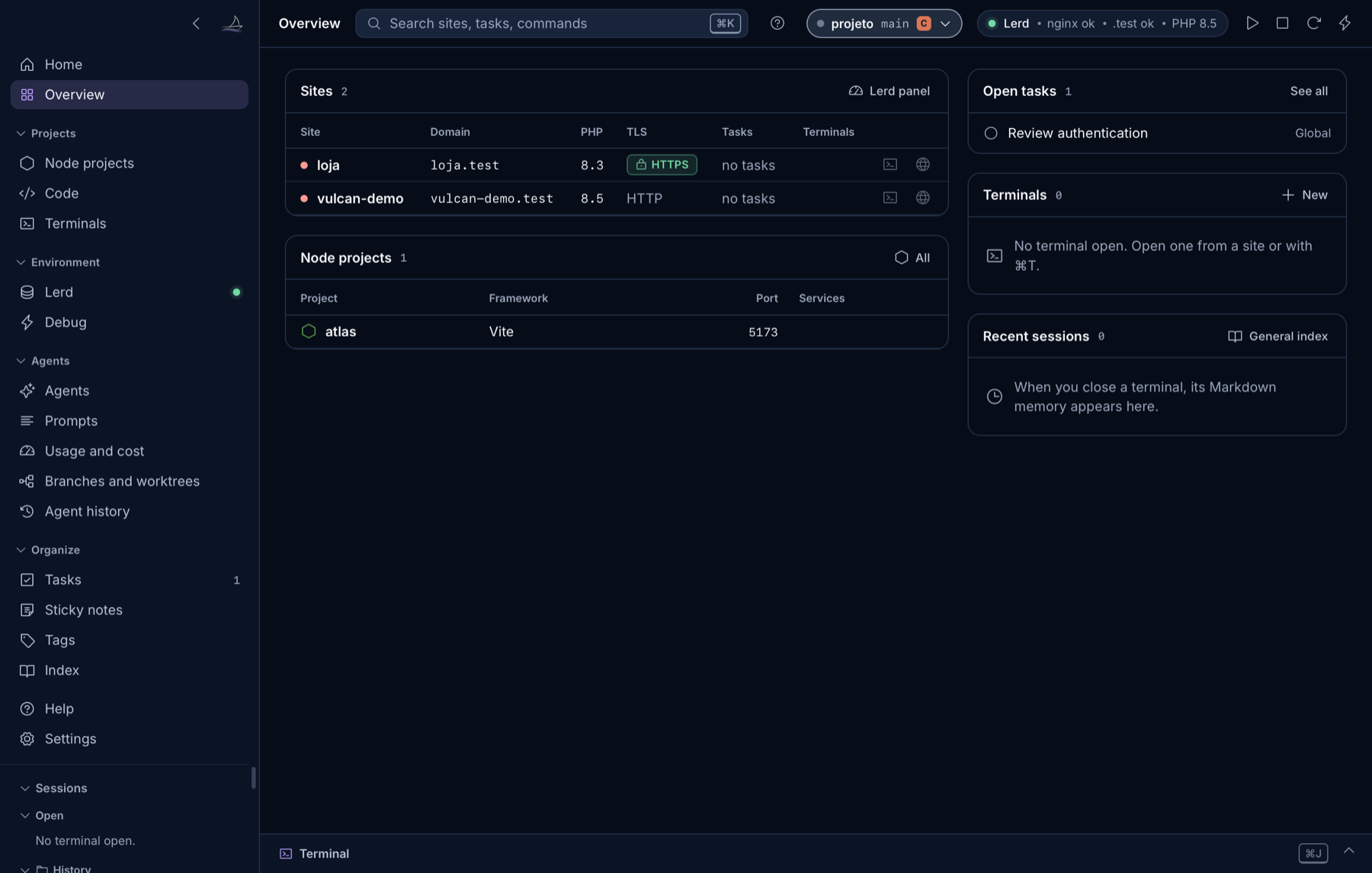
Projects, tasks, terminals, and recent sessions, together at the same starting point.
When each agent lives in a different window and each project in another folder, context gets scattered. Celox brings your local work together and makes the connections visible.
Find PHP sites, add Node projects, or open a folder. Each terminal starts in the right place.
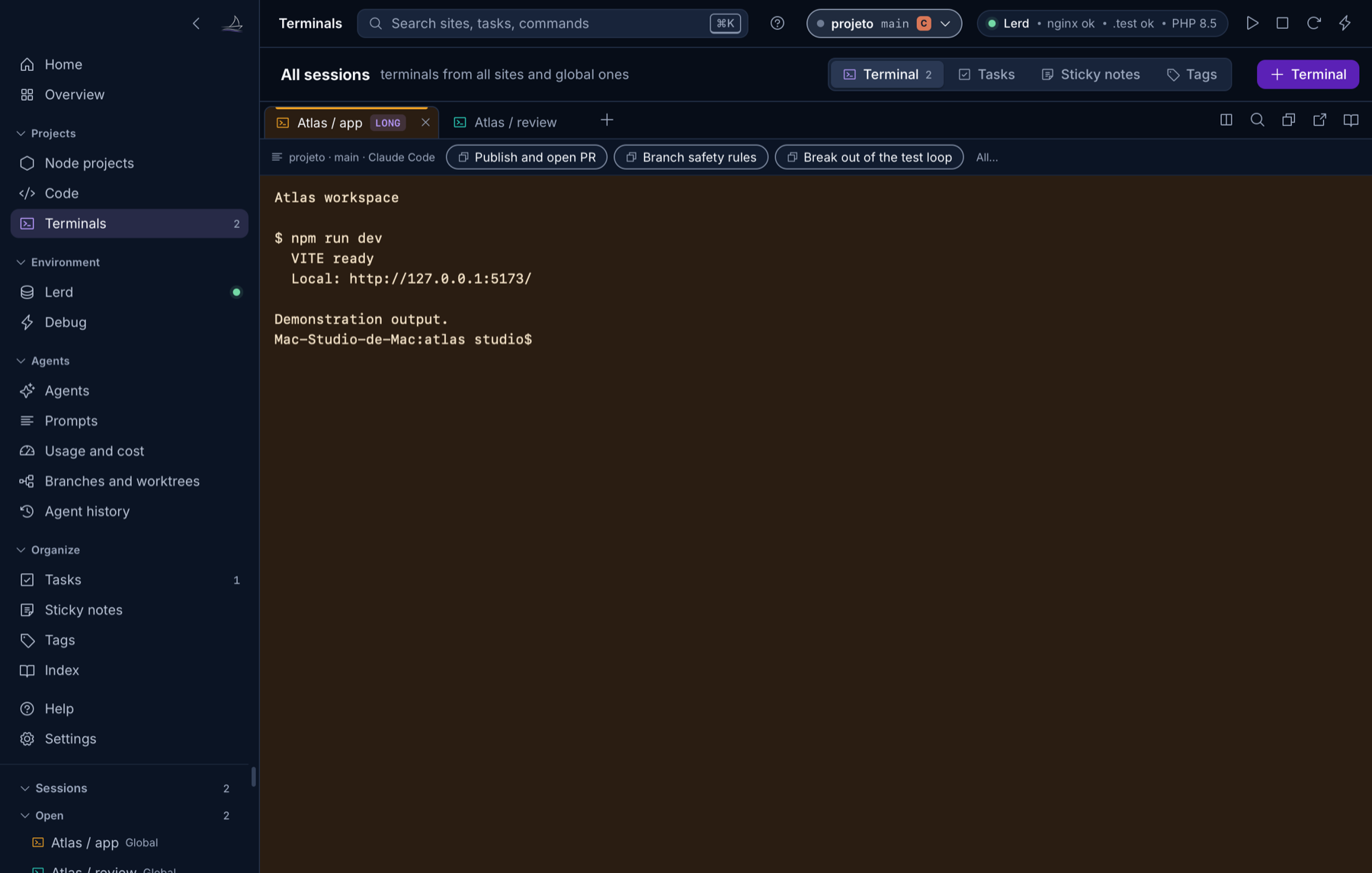
Choose Claude Code or Codex for that tab. Follow sessions, requests, files, and commands without switching tools.
Resume a session, read the terminal's memory, and see what changed before continuing.
Open a shell or choose the agent for that session. Split the panel, search the output, and return to your project without losing your open terminals.
Use Lerd or Laravel Valet for local PHP development. Add Node projects, see their scripts, and open commands in the terminal. No PHP installed? Terminals, agents, and organization are still available.
The app reads local agent logs to organize context. It doesn't require an API key to follow Claude Code and Codex, and it doesn't write to their configuration folders.
Preferences, tasks, prompts, and memories are stored locally. Make a backup when you need one.
PR and update checks have their own controls. AI documentation runs only when you request it, using your Anthropic key.
Read the project, licenses, and documentation. Celox is open source under the MIT license.
Choose Português (Brasil), English (US), or Español (España) in Settings. You don't need to install three separate apps.
No. It organizes projects, terminals, and sessions around the tools you already use. Your agents still run through their own programs and accounts.
Not to read and follow local Claude Code and Codex sessions. The optional AI documentation feature uses your Anthropic key and runs only when you request it.
The Code screen is a read-only viewer with a tree, search, live following, and diffs. Use your external editor for changes. Celox doesn't promise file saving in that screen.
Only if you want to use it as the backend for local PHP sites. Laravel Valet is also supported. Node projects, terminals, agents, and organization work without either backend.
The stable experience is built for macOS. Linux and Windows distributions are prereleases; check the requirements and limitations published in the repository.
App data is local. Optional features contact external services, such as GitHub for PRs and versions and Anthropic for documentation you request. The agents themselves follow their own services and settings.
The link to a tab uses folder and timing. Sessions started almost together in the same folder can be matched to the wrong tab. This limitation is documented and doesn't change the per-tab decision to start an agent.
Yes. Celox source code is distributed under the MIT license. Third-party components keep their own licenses and notices in the repository.

Download the app, open a folder, and start with the tools you already know.
macOS 13 or later, Apple Silicon or Intel, and Python 3.9+. The app guides you through installing Python if needed. Claude Code, Codex, and environment backends are installed separately.
Version 1.4.0, universal for Apple Silicon and Intel, with all three languages. The app is not notarized by Apple.
Extract the universal ZIP and move Vulcan Celox.app to your Applications folder.
Choose your language and find your projects. Local data stays separate from the application.
Start with a shell or select Claude Code or Codex for that tab.